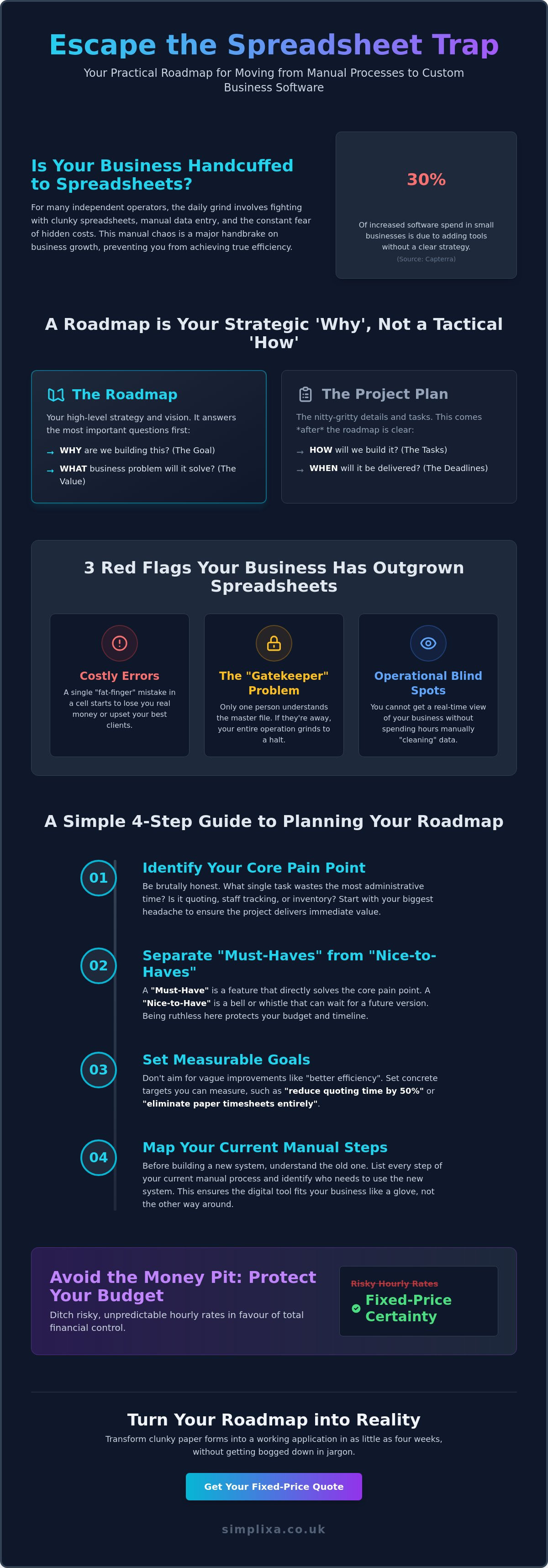

What if the spreadsheets you rely on every day are actually the biggest handbrake on your business growth? It's a common frustration for independent operators who feel trapped by manual data entry and the constant fear of hidden costs. Research from Capterra shows that 30% of small businesses see their software spending jump simply because they're adding new tools without a proper strategy. Learning how to plan a software project roadmap shouldn't require a degree in computer science or a bottomless pit of cash. It's about finding a practical way to move from messy paper forms to a streamlined custom app that actually works for you.
We know the feeling of being overwhelmed by technical jargon whilst trying to keep your head above water. You want a clear path to a working app, not a headache. This guide is here to provide some much-needed relief. You'll learn how to map out your custom software journey from start to finish without the corporate fluff or wasted budget. We're going to cover how to gain total budget certainty, ditch the admin burdens, and finally replace those clunky manual processes with a digital tool that fits your business like a glove.
Key Takeaways
- Stop viewing tech as a mystery; a roadmap is simply your escape route from messy spreadsheets to a streamlined digital tool.
- Start with your biggest operational headache to ensure your new app solves real problems rather than just looking pretty.
- Learn how to plan a software project roadmap by mapping out your current manual steps and identifying exactly who needs to use the system.
- Protect your budget by ditching risky hourly rates in favour of fixed-price certainty for your custom software journey.
- Discover how to transform clunky paper forms into a working app in as little as four weeks without getting bogged down in jargon.
What is a Software Project Roadmap (and Why Your SME Needs One)?
Running a business shouldn't feel like wrestling with a giant paper octopus. For many independent operators, the daily grind involves fighting with clunky spreadsheets that were never meant to handle this much data. A software project roadmap is simply your visual plan for escaping that chaos. It's the bridge that takes you from a messy Excel file to a streamlined, bespoke app. When you're looking at how to plan a software project roadmap, you aren't just making a list of technical tasks. You're defining your business goals. It's about ensuring you don't end up paying for a load of fancy features that your staff will never actually touch. Capterra’s 2025 survey found that 30% of increased software spending in small businesses comes from simply adding new tools without a clear plan. A roadmap stops that waste before it starts.
Roadmap vs. Project Plan: Know the Difference
Don't get these two mixed up. A Technology Roadmap is your high-level strategy. It answers the "Why" and the "What". It shows where you're going and what the big wins look like for your business. A project plan, on the other hand, is the nitty-gritty. It's the "How" and "When", filled with specific deadlines and task lists. SMEs often make the mistake of diving straight into the tasks. This usually leads to expensive course corrections later. Starting with a roadmap gives you a clear vision. It keeps everyone on the same page before a single line of code is written. It’s the difference between building a shed from a sketch and just buying a pile of wood and hoping for the best.
Signs Your Business Has Outgrown the Spreadsheet
We've all been there. You started with a simple tracker, but now it's a monster. How do you know it's time to move on? Look for these red flags:
- Costly errors: A single fat-finger mistake in a cell is starting to lose you real money or upsetting your best clients.
- The "Gatekeeper" problem: Only one person in the entire office knows how the master file actually works. If they're off sick, the business grinds to a halt.
- Blind spots: You can't get a real-time view of your staff or inventory without spending three hours "cleaning" data.
If these frustrations sound familiar, you've hit the ceiling of what manual tools can do. Understanding how to plan a software project roadmap helps you transition to something better without the stress. It’s about getting back your time. It’s about seeing the relief on your team’s faces when they finally ditch the paper forms. You need a tool that works as hard as you do; not a system that creates more work for everyone.
Defining the "Why" Before the "How": Setting Your Objectives
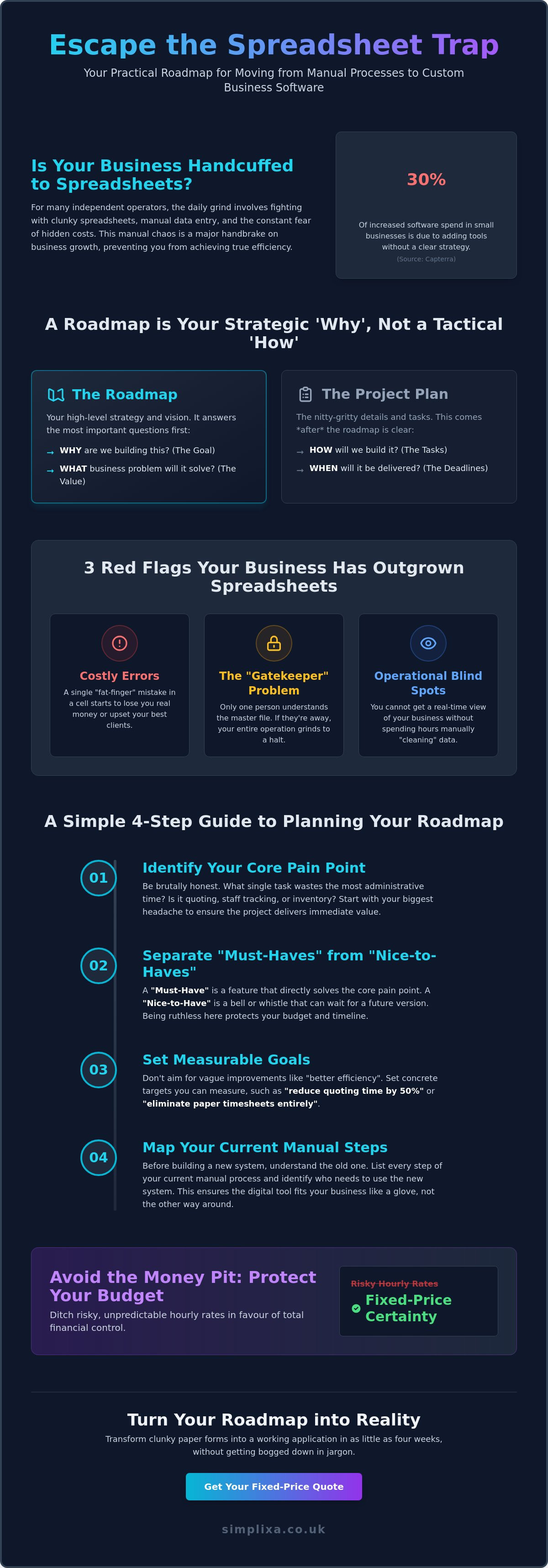
Before you get bogged down in buttons and colours, you need to be brutally honest about why you're doing this. Don't build an app just because it sounds like the "modern" thing to do. Build it because your current way of working is a weight around your neck. When you are figuring out how to plan a software project roadmap, your first job is to identify the specific pain that keeps you up at night. Is it the three hours you spend every evening fixing errors in a spreadsheet? Or perhaps it's the constant worry that a client quote has slipped through the cracks? Starting with the pain ensures your budget goes exactly where it’s needed most.
You need to be ruthless when separating your "Must-Haves" from your "Nice-to-Haves". A "Must-Have" is a feature that directly solves a business-critical problem. A "Nice-to-Have" is a bell or whistle that can probably wait until next year. To keep things on track, set goals you can actually measure. Instead of a vague hope for "better efficiency", aim for something concrete like "reducing quoting time by 50%" or "eliminating paper timesheets entirely". This level of focus is how you succeed in product development without falling into a money pit. Remember, if a feature doesn't make your team's life easier or your business more profitable, it doesn't belong on the roadmap yet.
Identifying Your Core Business Pain Points
Take a long look at your daily operations. Which three tasks eat the most of your administrative time? Usually, it's things like staff tracking, inventory management, or generating quotes. If you try to fix everything at once, the project will become bloated and expensive. By focusing on just one core problem first, you ensure a faster build and a quicker return on your investment. For example, moving from scribbled notes to an automated quoting tool can provide instant relief to your sales process without the complexity of a full-scale overhaul.
Choosing Your Strategic Themes
Strategic themes are essentially the "buckets" of work that keep your project organised. Think of things like "Mobile Access" for staff in the field or "Real-time Reporting" for the office. When you're learning how to plan a software project roadmap, these themes help you prioritise what matters. If your team is always on the road, mobile access should be at the top of the list. Keep these themes simple so that everyone from the manager to the newest apprentice understands what the goal is. This clarity prevents "feature creep" and keeps your eyes on the prize: a tool that actually works.
A Step-by-Step Guide to Planning Your Roadmap
Forget about complex "sprints" or corporate procurement cycles. Those are for big firms with money to burn. For a small business owner, learning how to plan a software project roadmap is about practical steps that lead to real relief. You don't need a hundred-page document. You need a clear sequence that keeps the project moving without draining your bank account or your patience. It's about moving from the mess you have now to the system you actually need.
The Discovery Phase: The Secret to Software Success
The first step is the Discovery Phase. This is where you map out every single step of your current process. Honestly, what is a software discovery phase? It’s simply the act of looking at your "as-is" manual mess and sketching out your "to-be" digital workflow. This is the most important stage for SMEs. It’s where we spot hidden risks, like a specific way you track stock or a quirk in your invoicing, before any code is written. Getting this right saves you from expensive fixes later on.
Once the process is clear, move to Audience Mapping. Who is actually going to use this tool? If your team is out in the field, their favourite device will be a smartphone. If they're in the office, they might prefer a desktop view. Designing for the wrong device is a classic mistake that leads to staff refusing to use the new system. You want a tool that fits their daily habits, not one that creates more friction.
Building the MVP: Start Small, Win Big
Then comes the Minimum Viable Product, or MVP. Don't try to build the perfect, all-singing app on day one. It’s a trap. Focus on the 20% of features that provide 80% of the value. If a custom staff tracking app solves your biggest headache, build that first. Adding fancy reporting or extra integrations can wait. An MVP gets the tool into your team's hands faster. Their feedback is gold. It tells you exactly what to tweak next to make the system even better.
Finally, set clear milestones and keep the plan flexible. Milestones are markers for when specific parts of the tool go live. It gives you a sense of progress and keeps the momentum up. But remember, software isn't static. Your business evolves, and your roadmap should too. Review and adjust your plan as you go. This flexibility is how to plan a software project roadmap that actually survives the real world. You want a working solution, not a dusty document on a shelf.
Avoiding the "Money Pit": Managing Costs and Timelines
Most business owners I talk to share a common fear. They're terrified that a software project will turn into a bottomless money pit. It's a valid worry. Traditional agencies often push "time and materials" contracts, which is basically a blank cheque for them and a massive risk for you. When you're looking at how to plan a software project roadmap, you aren't just mapping out features. You're mapping out your financial safety. A solid roadmap acts as a guardrail, keeping your project on track and your bank balance intact.
Budget control starts with finding a developer who understands small business. You need a partner who speaks in pounds and pence, not "story points" or "velocity". They should care about your bottom line as much as you do. If they can't give you a clear answer on costs, they probably don't understand your business reality. You want a tool that saves you money, not one that creates a new monthly administrative headache.
Fixed-Price vs. Hourly Rates
Fixed pricing gives you total peace of mind. You know exactly what you'll pay before the work starts. This model forces better planning and a much clearer roadmap. If the price is fixed, there's no room for vague ideas; everything must be defined upfront. At SIMPLIXA, we favour the fixed-price model for all our bespoke digital tools. It removes the budget anxiety that plagues so many SMEs. It keeps the focus entirely on the result, not on how many hours a developer can bill you for.
Managing Scope Creep Like a Pro
Scope creep is the silent killer of timelines. It’s that "just one more little feature" that slowly eats your budget and delays your launch. To stop it, you must define exactly what is "In Scope" and "Out of Scope" at the very start of the project. If it isn't essential for the version you're building now, it shouldn't be in the plan. This discipline is essential for keeping your costs under control.
Use the "Parking Lot" method for new ideas. When a brilliant suggestion pops up mid-build, don't let it derail your current progress. Park it. Write it down for a future update. This keeps your team focused on the core objectives and ensures your MVP gets delivered on time. Staying disciplined is how to plan a software project roadmap that actually crosses the finish line. You want the relief of a working system, not a never-ending development cycle.
Ready to ditch the spreadsheets without the budget stress? Get a fixed-price quote for your custom tool today.
Turning Your Roadmap into Reality with SIMPLIXA
Mapping out your path is vital, but seeing that first screen light up is where the real relief begins. At SIMPLIXA, we specialise in turning your vision into a practical, working tool without the usual agency nonsense. We build custom staff tracking apps, inventory management systems, and automated quoting tools designed specifically for the way you work. When you are deciding how to plan a software project roadmap, you need a partner who values speed. Our process aims for a 4-week delivery for most custom applications. It’s about getting you out of spreadsheet hell and into a streamlined system as quickly as possible.
Fairness is at the heart of everything we do. For an independent operator, a surprise bill is a mental burden you just don't need. That’s why we stick to fixed pricing for every project. Once we’ve worked through how to plan a software project roadmap together, the price we quote is the price you pay. We also handle the ongoing hosting and security updates so you can stop worrying about the tech and get back to running your business. It’s a complete, hands-off solution for people who value utility over fancy jargon.
Our "No-Nonsense" Development Process
We move you from a clunky Excel file to a professional app in 30 days. You’ll have direct access to our team; we promise to speak your language, not "Tech-ese". We focus on the features that actually lighten your workload. Sometimes, when off-the-shelf software isn’t flexible enough, a bespoke build is the only way to get the job done properly. We don’t force you into a one-size-fits-all box. We build the box around you.
Ready to Kill the Spreadsheet?
Taking the leap from manual forms to a digital system can feel intimidating, but it doesn't have to be. You can book a free consultation to start your software discovery phase and see exactly what’s possible. Whether it’s a custom CRM or a simple digital form conversion, we provide a clear, fixed-price quote with no hidden catches. Stop letting administrative tasks eat your evenings. Start your journey to a more organised business today and feel the weight lift off your shoulders.
Ditch the Manual Mess and Start Building
You've seen that a roadmap isn't just a technical chart. It's your plan to kill the admin burden once and for all. By focusing on your biggest pain points and building a simple MVP first, you avoid the traps that sink so many small business projects. Learning how to plan a software project roadmap is about taking control of your budget and your time. You don't have to settle for clunky spreadsheets that slow you down every single day.
We specialise in SME digital transformation with a focus on speed and fairness. Our 4-week delivery timelines mean you won't be waiting months for a solution that works. Plus, our fixed-price certainty means you can plan your growth without worrying about hidden fees or creeping costs. It is time to move from "making do" to "moving fast".
Ready to see what's possible? Get a fixed-price quote for your bespoke software project and let’s get to work. You've got this, and we're here to help you get it done.
Common Questions About Software Roadmaps
How long does it take to create a software roadmap?
It usually takes between three to seven days to build a solid initial roadmap for a small business. This timeline depends on how clearly you've mapped out your current manual processes. If you already know where the biggest bottlenecks are, the discovery phase moves much faster. We focus on getting you from a messy spreadsheet to a clear plan quickly so the actual development can start without delay.
Can I change my roadmap once the project has started?
Yes, you can and should adjust your roadmap as the project evolves. Software isn't static; your business needs might shift once you see the first version of your app in action. Whilst the core objectives should stay firm to avoid budget blowouts, specific features can be tweaked based on real staff feedback. This flexibility ensures the final tool actually solves your daily headaches and provides lasting relief.
What is the most important part of a software roadmap for a small business?
The most important part is identifying the core business pain point you're trying to solve. For most SMEs, this means picking one administrative burden, like manual inventory tracking, and focusing on that first. When you understand how to plan a software project roadmap, you realise that a clear "Why" prevents you from wasting money on features your team will never use. Focus brings total organization.
How much does it cost to have a professional software roadmap created?
The cost for creating a roadmap is typically included as part of a software discovery phase. Some providers might charge a separate consultancy fee, whilst others bundle it into the total project cost. Because every business has different needs, you should check with your developer for a specific quote. We always recommend a fixed-price approach to ensure you have complete budget certainty from the very start.
Do I need technical knowledge to plan a software roadmap?
No, you don't need any technical knowledge to plan a roadmap. You are the expert in how your business runs; the developer is the expert in the code. Your job is to describe the manual tasks that frustrate you and the result you want to see. A good partner will translate your business needs into a technical plan without drowning you in confusing jargon or corporate "Tech-ese".
What tools should I use to build my project roadmap?
You don't need fancy, expensive software to build your roadmap. Simple tools like Trello or Notion are often enough for SMEs, with Trello paid plans starting at $5 per user per month as of April 2026. The goal is clarity, not complexity. Even a basic document or a white-board sketch can work as long as it clearly shows how to plan a software project roadmap for your team.
How often should I review my software roadmap?
You should review your roadmap at every major milestone or at least once a month. Regular check-ins allow you to spot potential delays or "scope creep" before they become expensive problems. These reviews keep the project aligned with your business goals. They ensure the development team is still focused on the features that provide the most relief to your daily operations and staff tracking needs.
What happens if we miss a milestone on the roadmap?
Don't panic if a milestone is missed. The first step is to identify why it happened, whether it was a technical hurdle or a change in business priorities. You should then adjust the timeline and communicate the new plan to everyone involved. A roadmap is a guide, not a cage. The priority is always getting a working, high-quality tool into your hands, even if it takes a few extra days.