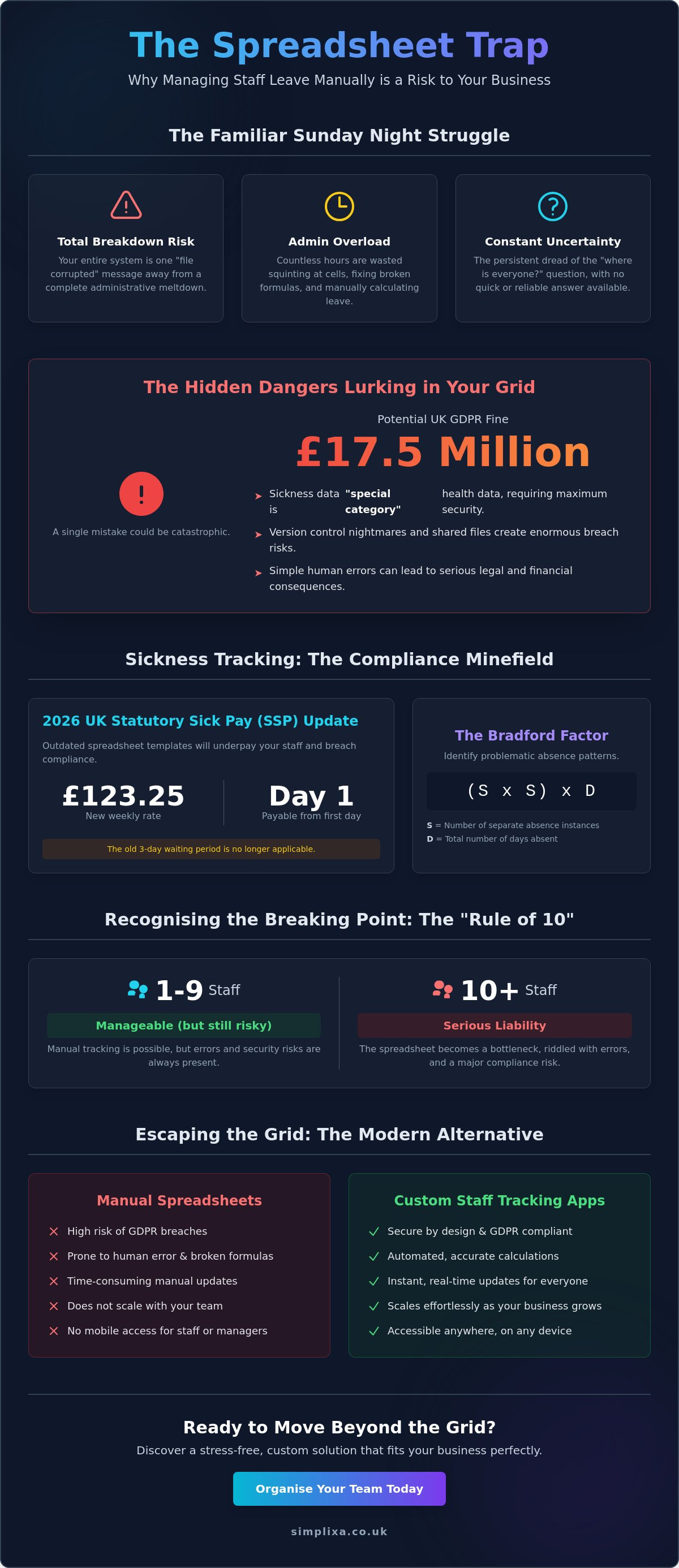

Your trusty Excel tracker is often one "file corrupted" message away from a total administrative breakdown. It's a familiar feeling. You spend your Sunday nights squinting at cells; trying to figure out pro-rata holiday for a part-timer whilst praying you haven't broken a formula. Many small business owners ask how to manage staff holidays and sickness on a spreadsheet because it feels like the cheapest way to stay in control. It's a great place to start, but it's a dangerous place to stay.
We get it. You want a fair system that doesn't eat your entire afternoon. This guide shows you how to build a functional tracker for 2026; including the updated Statutory Sick Pay rate of £123.25 and the removal of those old waiting periods. You'll learn how to keep your data tidy and your team happy. We'll also explore why sticking with manual grids might be a liability for your organisation, especially with UK GDPR fines now reaching £17.5 million. Let's get your office organised so you can finally stop dreading the "where is everyone?" question.
Key Takeaways
- Learn how to structure your core data and calendar grid. Keep your team's annual leave organised and accessible.
- Master how to manage staff holidays and sickness on a spreadsheet by correctly separating paid leave from statutory sickness.
- Identify the hidden risks of manual tracking. Avoid version control nightmares and the serious legal implications of GDPR breaches.
- Spot the warning signs that your spreadsheet is failing. Know exactly when you've hit the "Rule of 10" staff limit.
- Discover how a custom staff tracking app replaces clunky grids. Get a stress-free, mobile-friendly solution that fits your business perfectly.
Setting Up Your Staff Holiday and Sickness Tracker in Excel
Let's get the foundation right. You are likely here because you need to know how to manage staff holidays and sickness on a spreadsheet without losing your mind every time someone asks for a Friday off. Most people start by throwing names into a random grid. That is a recipe for a mess. You need a system that works as hard as you do. A good tracker needs to be clear, sturdy, and easy to update. It is about moving away from the "best guess" method and towards something that actually holds up when things get busy.
Historically, Time and attendance systems were heavy ledgers kept in a manager's desk. Today, your spreadsheet does that heavy lifting. Start by creating a clean grid. Put your dates across the top columns and your staff names down the first row. Use a simple coding system to keep things tidy. Stick to "H" for Holiday and "S" for Sickness. This keeps the cells small and the whole year visible at a glance. To make it truly useful, use the COUNTIF formula at the end of each row. A quick =COUNTIF(B2:AF2, "H") will instantly tell you how many days a staff member has taken without you having to count them manually like it is 1995.
Step 1: Structuring Your Master Data
Keep your core information away from the daily mess. Create a separate tab called "Master Data" to store names, departments, and annual allowances. This stops you from accidentally deleting a staff member's start date whilst you are just trying to log a dental appointment. Include a column for start dates. This is vital for calculating pro-rata entitlements for anyone joining mid-year. The "Master Data" tab serves as the central engine of your spreadsheet, housing every essential detail that drives your calculations.
Step 2: Building the Monthly Views
Nobody likes staring at a wall of white cells. Use conditional formatting to automatically colour weekends and bank holidays in grey. It makes the grid much easier to read. You should also use Data Validation to create drop-down menus for your leave codes. This prevents typos like "Hol" instead of "H" which would break your formulas. Finally, make sure your layout is set to a printable area. Many managers still prefer a physical "at-a-glance" view pinned to the office wall for quick checks during the morning brew.
Managing Different Absence Types: Why Sickness Isn’t Just Another Holiday
Sickness isn't a holiday. If you treat them the same in your grid, you'll end up with a mess. You must distinguish between paid annual leave, unpaid time off, and statutory sickness. Tracking these correctly is the only way to ensure your payroll is accurate and your team feels respected. Many independent operators use the "Bradford Factor" to see if short, frequent absences are causing a headache for the team. It is a simple formula: (S x S) x D. S is the number of separate absences, and D is the total number of days off. A high score suggests a pattern that might need a quiet chat.
Recording self-certification dates is a must. Don't just put an "S" in the box and move on. Use the "Insert Comment" feature in Excel to log the specific dates they called in and the reason given. For Time Off In Lieu (TOIL), keep a separate column. It is far too easy to lose track of extra hours worked if you just add them to a staff member's holiday balance. Keeping them separate ensures that everyone knows exactly where they stand; avoiding those awkward Friday afternoon disputes over remaining leave.
Sickness Tracking and UK Compliance
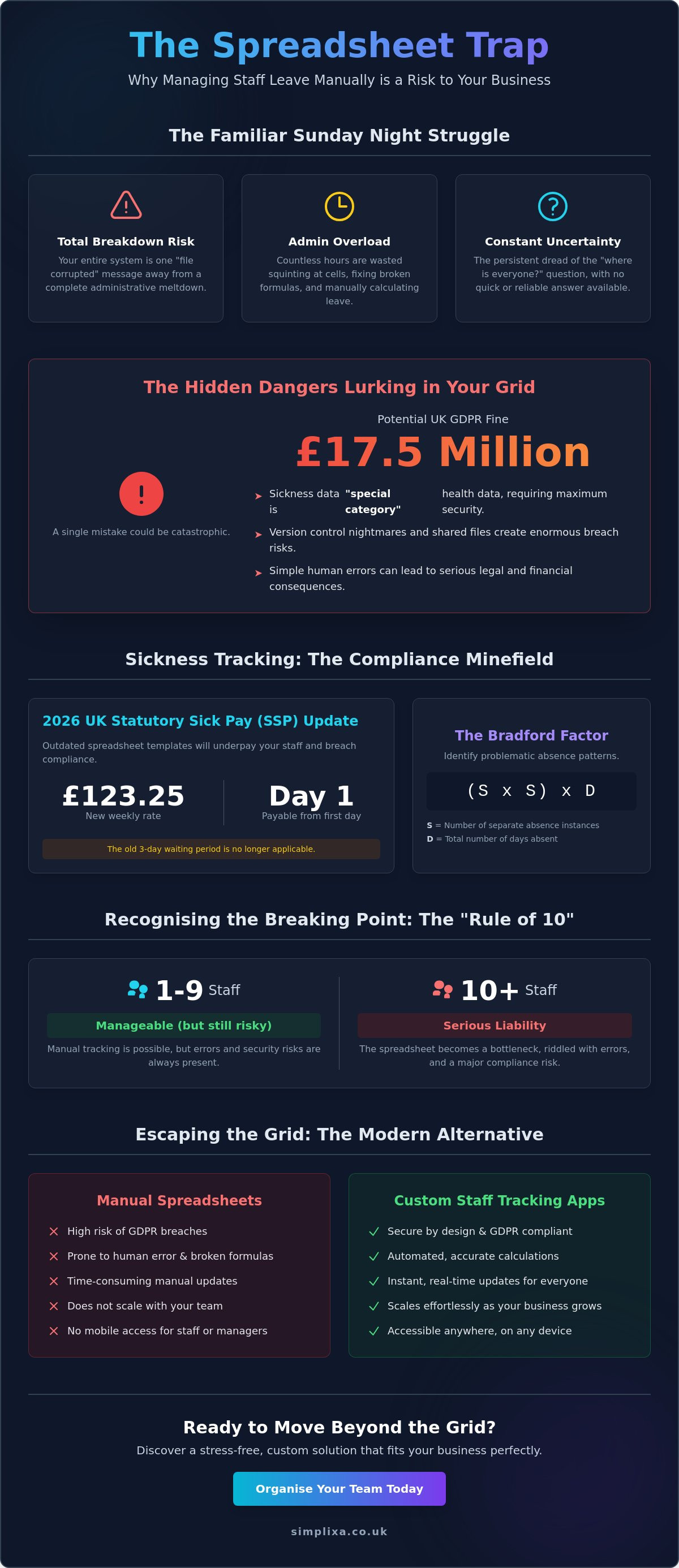
In 2026, the rules for Statutory Sick Pay (SSP) changed significantly. The weekly rate is now £123.25. Crucially, it is payable from the very first day of sickness. The old three-day waiting period is gone. If you are still using an old template to figure out how to manage staff holidays and sickness on a spreadsheet, your formulas are likely underpaying your people. Always log "Return to Work" notes. These brief conversations help you spot stress or burnout before they become long-term issues. While some managers look at federal legal requirements for paid sick leave in other countries for a global perspective, UK businesses must stay focused on these specific 2026 statutory updates. Sickness data is considered "special category" health data under GDPR because it contains sensitive information about a person's wellbeing.
Managing Complex Shift Patterns
Spreadsheets often struggle with part-time staff. If someone works three days a week, giving them a full 28-day allowance in your grid is a mistake. You have to pro-rata it. For zero-hour contracts, it is often easier to track holiday in hours rather than days. This stops the arguments over what a "day" actually means for someone who works four hours on a Tuesday but ten on a Friday. If you are managing part-time and zero-hour contract staff, your grid needs to be flexible enough to handle these shifts. Keeping everything straight in a manual file is a heavy burden. If the math is making your head spin, a custom staff tracking app might be the relief you need to get back to running your business.
The Hidden Pitfalls of Spreadsheets: GDPR, Errors, and Admin Bloat
You have probably spent hours perfecting your formulas. It feels like you have finally cracked the code on how to manage staff holidays and sickness on a spreadsheet. But there is a lurking danger in those cells. A spreadsheet is often a "single point of failure". If you are the only person who understands how the hidden tabs work, the entire system grinds to a halt the moment you take a well-earned break. Nobody else can fix a broken link or update a pro-rata calculation. It is a heavy burden for one person to carry; especially when you should be focusing on growing the business.
Then there is the version control nightmare. We have all seen the office server cluttered with files named "Staff Tracker 2026 FINAL" and "Staff Tracker 2026 FINAL USE THIS ONE". It only takes one person to update the wrong version for your payroll accuracy to go out the window. A simple fat-finger mistake, like typing an "S" into the wrong row, can lead to someone being underpaid. These small errors create friction and distrust amongst your team. They expect fairness and precision. A manual grid makes that very hard to guarantee every single month.
The biggest risk is the GDPR trap. Storing sensitive health data, like reasons for sickness or mental health notes, in a shared Excel file is a massive liability. You must comply with Data Protection Law to avoid the catastrophic fines that 2026 regulations bring. With maximum penalties reaching £17.5 million or 4% of global turnover, an insecure spreadsheet is a gamble you cannot afford to take.
Data Security and Shared Access
Password-protecting a file is a clunky fix. It usually leads to staff writing the password on a Post-it note or sharing it via an insecure chat. Emailing these trackers is even worse. Once an attachment is sent, you have lost control of that data forever. Data sprawl is the uncontrolled duplication of sensitive files across various staff emails and desktop folders, and it is a primary target for security breaches. It makes staying organised almost impossible.
The Mental Load of Manual Admin
Think about the hours lost to basic admin. Ten minutes here to fix a broken cell. Twenty minutes there to answer a "how many days have I got left?" email. These small irritants act as a ceiling on your ability to scale. You cannot lead a growing team whilst acting as a human calculator for holiday balances. It is time to stop being a slave to the grid and start looking for a way to get your Sunday nights back. If the manual slog is becoming a physical burden, it is a clear sign that your system has reached its breaking point.
Recognising the Breaking Point: When Excel Becomes a Liability
The "Rule of 10" is a hard truth for most small businesses. When you have five or six employees, a manual grid feels manageable. Once you hit ten staff members, the spreadsheet starts to crumble. You spend more time chasing people for missing dates than actually running your business. Knowing how to manage staff holidays and sickness on a spreadsheet is a great skill for a startup. For a growing company, it is a bottleneck. If you find yourself stuck in a loop of "he said, she said" over remaining holiday balances, your system has reached its limit.
Frequent disputes are a major red flag. When your record says a staff member has three days left, but their own notes say five, trust begins to erode. These errors aren't just administrative irritants. They are expensive. Underpaying someone because of a broken formula or a fat-finger mistake is a breach of trust. It can even lead to legal trouble if you fail to meet statutory requirements. You need to move from just "tracking dates" to actually "managing operations". This means having a system that works for you, rather than one that requires constant babysitting.
Spreadsheet vs. Custom App: A Comparison
Spreadsheets are usually trapped on a single desktop in the office. If your field staff or remote workers want to check their leave, they have to call you. It is a slow, manual process. A custom app is mobile-first. Your team can check their balance or request a day off from their phone in seconds. Automation is the other big difference. With a manual sheet, you have to update every pro-rata calculation yourself. An app handles the math instantly. Finally, consider security. A local Excel file is easy to lose or corrupt. An encrypted cloud database keeps your sensitive data safe and accessible only to those who need it.
The Scale Factor
Growth shouldn't mean more paperwork. You can scale business operations without more staff by replacing manual tasks with smart systems. Most "off-the-shelf" HR software feels bloated. It comes with dozens of features you will never use but still have to pay for. A bespoke tool is different. It does exactly what you need and nothing else. It clears the mental load and lets you focus on the work that actually brings in revenue. If your current grid is starting to feel like a physical burden, a Custom Staff Tracking App is the cleanest way to find relief and get back to business.
Moving Beyond the Grid: Custom Apps for Stress-Free Staff Tracking
You have done the hard work. You have mastered how to manage staff holidays and sickness on a spreadsheet, but you can feel the system straining under the weight of your growing team. It is no longer a helpful tool; it is a mental irritant that lives on your desktop, waiting to break. The SIMPLIXA approach is about taking that physical burden off your shoulders. We don't do "corporate" or "sterile." We build bespoke tools that fit your specific business like a glove, without the eye-watering price tag of a traditional technical firm. It is about moving from a state of being overwhelmed to a state of complete organisation.
Imagine a system where sickness reporting happens on the go. No more frantic Monday morning texts or searching through old WhatsApp threads to find out why someone is missing. Your staff simply log their absence through a dedicated app. You get an instant notification, and the holiday balances update themselves. It is clean, fast, and fair. Best of all, we work on a fixed-price basis. You get total certainty from the very start. There are no hidden hourly fees or surprise invoices. Just a solution that works exactly the way you need it to.
Why Custom Beats Generic
Generic HR software often forces you to change your workflow to suit their rigid template. That is backwards. A custom app is built around your existing habits. It gives you the freedom to create a single source of truth for your entire operation. You can even integrate it with a system for tracking assets and equipment. This means you can see who is off, what kit they have in their van, and which jobs are at risk; all in one place. It is about utility over aesthetics.
Getting Started with Your Own Staff App
We start with a "Discovery Phase." This isn't a boring technical meeting. It is a deep dive into your daily frustrations. We map out exactly where the spreadsheet is failing you and what a perfect, admin-free day looks like. Because we focus on simplicity and speed, delivery is rapid. You can kill the spreadsheet and launch your new system within weeks, not months. It is time to stop being a human calculator and start being a business owner again. Ready to stop fighting with Excel? Let’s build something better together.
Reclaim Your Time and Protect Your Business
You now have a clear roadmap for how to manage staff holidays and sickness on a spreadsheet. You have learned how to structure your master data, handle the 2026 SSP changes, and spot the warning signs of a failing system. A manual grid is a useful first step. It gets you through those early days of growth. But as your team expands, the mental load of manual entry and the risk of GDPR breaches become a heavy burden. You shouldn't have to spend your weekends acting as a human calculator.
True relief comes from a system that works as hard as you do. We specialise in UK-based bespoke development designed specifically for the daily reality of small business operations. You get the tools you need without the unnecessary bloat of generic software. It is about speed, fairness, and total peace of mind. Kill the spreadsheet and get a custom staff tracking app for a fixed price. With fixed-price certainty, you can finally ditch the admin chaos and focus on what you do best. It is time to get your business organised once and for all.
Frequently Asked Questions
How do I calculate pro-rata holiday for part-time staff on a spreadsheet?
You calculate pro-rata holiday by multiplying the 5.6-week statutory entitlement by the number of days an employee works each week. For example; a staff member working three days a week is entitled to 16.8 days of annual leave. Learning how to manage staff holidays and sickness on a spreadsheet correctly means using these calculations to ensure every part-timer gets their fair share without the risk of an employment tribunal.
Is it legal to track employee sickness on a shared Excel file in the UK?
It is legally risky because sickness data is classified as "special category" health information under UK GDPR. If you store this in a shared file that multiple staff members can access; you are likely failing to protect sensitive data. With potential fines reaching £17.5 million in 2026; you must ensure only authorised managers can see the specific reasons for an employee's absence.
What are the best Excel formulas for tracking staff attendance?
The =COUNTIF(range, "H") formula is your best friend for totalling up holiday days across a row. You should also use =NETWORKDAYS(start_date, end_date) to automatically calculate the length of a leave period whilst skipping weekends. These simple tools stop you from having to count cells manually and reduce the chance of a "fat-finger" error ruining your monthly payroll.
How can I prevent staff from accidentally editing formulas in our holiday tracker?
You should lock your formula cells and use the "Protect Sheet" feature found under the Review tab in Excel. This allows staff to enter their leave codes whilst keeping your complex calculations safe from accidental deletion. It's a vital step for anyone who wants to know how to manage staff holidays and sickness on a spreadsheet without the file breaking every time someone tries to log a dental appointment.
What happens if I lose my staff holiday spreadsheet?
Losing your spreadsheet is an administrative disaster that wipes out your entire compliance and payroll history. Without a robust backup; you won't be able to prove you've met statutory holiday minimums or paid the correct £123.25 weekly SSP rate. This "single point of failure" is a primary reason many growing businesses move away from local files towards secure; cloud-based tracking tools.
Can I link a spreadsheet to a mobile app for staff to use in the field?
You can use third-party connectors to link Excel to a basic interface; but the results are often clunky and prone to breaking. Spreadsheets aren't built for small mobile screens or unstable field connections. If you want your team to request leave or report sickness from their phones; a bespoke staff tracking app provides a much smoother experience than a fragile mobile-linked grid.
How much does it cost to move from a spreadsheet to a custom staff tracking app?
We avoid the opaque pricing models and hidden hourly fees typical of the tech industry. Instead; we focus on fixed-price certainty for our bespoke development projects. This means you get a tool designed specifically for your small business operations with a clear; upfront cost. It is a one-time investment to clear the mental load of manual admin and get your office completely organised.
What is the "Bradford Factor" and should I include it in my spreadsheet?
The Bradford Factor is a formula (S x S x D) used to identify patterns of frequent; short-term absence that disrupt your workflow. S is the number of separate absences and D is the total number of days off over a 52-week period. Including this calculation in your grid helps you spot absenteeism issues early; though it should always be used as a prompt for a supportive conversation rather than a blunt tool for discipline.