How much money is currently sitting in your "to-be-invoiced" pile because you're waiting on a signature that might never come? It's a daily headache for independent operators across the country. You've done the hard graft, the job's finished, and the client is happy. But then the paperwork goes missing, or the site manager isn't around to sign your sheet. Suddenly, that finished job is a week away from being paid. Using a digital sign-off for completed work isn't just about looking modern; it's about making sure your cash flow doesn't get held hostage by a crumpled bit of paper in the back of the van.
We understand the stress of chasing payments and dealing with clients who suddenly "forget" what they agreed to once the bill arrives. It's exhausting and unnecessary. This guide shows you how to replace those illegible paper sheets with a digital system that triggers an invoice the second the client taps a screen. You'll learn how to create a single source of truth for every job, reducing your manual admin and protecting your business from unfair disputes. We'll walk you through how simple automation can cut your document turnaround times by 30% and get your money into your bank account faster.
Key Takeaways
- Stop the "Friday Afternoon Scramble" by ditching paper completion sheets that get lost and delay your payments.
- See why a digital sign-off for completed work offers more than a signature, capturing GPS data and photos to prove the job is done right.
- Learn why generic PDF tools often fail field teams and how custom apps simplify your daily admin without the extra clutter.
- Create a bulletproof handover process that triggers instant invoicing and protects your business from awkward payment disputes.
The Real Cost of Chasing Sign-Offs: Why Paper is Killing Your Cash Flow
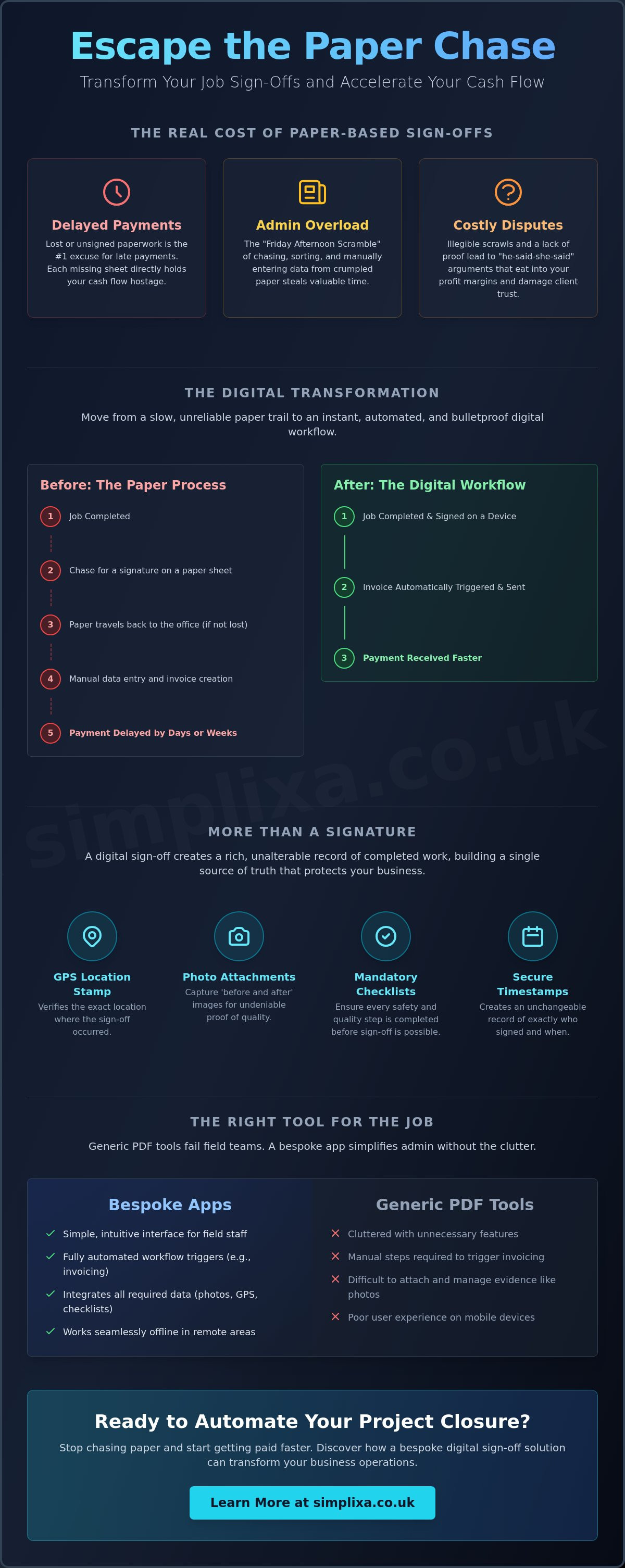
It is 4:00 PM on a Friday. Your team is packing up, ready for the weekend. But for you, the real work is just starting. You are sat in the van, digging through a battered folder for a completion sheet that might not even be there. This is the "Friday Afternoon Scramble." It is the moment you realise a week's worth of hard graft is currently represented by coffee-stained paper and illegible scrawls. Without that signature, you can't send the invoice. Your weekend is now an unpaid admin shift.
Relying on paper is a massive liability in 2026. It is not just an inconvenience; it is a direct threat to your bank balance. In the UK, "missing signatures" remain the most common excuse for late payments. It is a classic stall tactic used by clients to keep hold of their cash for another fortnight. When you use a digital sign-off for completed work, you take that excuse off the table. You move from "I'll check the paperwork" to "the invoice is in your inbox."
There is also a psychological weight to these unclosed jobs. Every unsigned sheet is a mental irritant. It is unfinished business that prevents your operations team from focusing on the next contract. Paper makes your business feel heavy and disorganised. Switching to a digital system provides immediate relief, turning a mountain of physical clutter into a streamlined, automated process.
The Late Payment Trap
Think about the time gap between finishing a job and actually getting paid. If you finish on a Tuesday but don't process the paperwork until the following Monday, you have already lost six days of cash flow. For a small business, that gap is the difference between scaling up or just scraping by. A digital system cuts this delay from days to seconds. The moment the job is done, the data is captured. Your cash flow improves because your invoicing is no longer tethered to a physical piece of paper travelling back to the office in a glovebox.
Protecting Your Reputation and Your Pocket
Disputes are expensive. The "he-said-she-said" arguments over whether a skirting board was painted or a boiler was serviced can eat your profit margins alive. By using a secure digital signature and timestamped evidence, you create a bulletproof record. You aren't just asking for a name; you are building a professional handover report. This transparency builds massive trust with your clients. It also stops "re-work" in its tracks, as you have proof that the final checks were ticked off and approved on-site.
What is Digital Sign-Off for Completed Work?
A digital sign-off is much more than a "digital squiggle" on a tablet screen. It is a secure, electronic handshake that confirms a job has been finished to the agreed standard. While a paper sheet only tells you that someone scribbled a name, a digital sign-off for completed work creates a rich, unalterable record of the event. It moves your business away from "I think we finished that" to "here is the proof it's done."
Think of it as a digital container for everything that happened on-site. It isn't just about the signature itself; it is about the metadata surrounding it. This technology captures the who, where, and when of every job closure. It then stores this information in a searchable database. No more rifling through filing cabinets or scrolling through endless WhatsApp threads to find out if a specific task was completed. It is all there, organised and ready for your accountant or your client.
Beyond the Signature: Data That Matters
The real power of a modern sign-off system lies in the evidence it gathers. It creates a "single source of truth" that protects your profit margins. By using custom staff tracking apps, you can ensure your team is actually on-site when they hit "complete." This data does more than just stop time-wasting. It allows you to track long-term profitability. You can finally see which types of jobs are taking too long and which ones are actually making you money. A robust system includes:
- GPS Tracking: Verifies the exact location of the sign-off.
- Photo Attachments: High-quality "before and after" images to prove quality.
- Mandatory Checklists: Prevents the sign-off button from appearing until every safety and quality check is ticked.
The Legal and Compliance Angle
In 2026, the legal weight of your records is non-negotiable. Adopting e-signature technology ensures that your digital confirmations are as legally binding as ink on paper. This is vital for your insurance and for staying compliant with industry-specific regulations. These systems provide a clear audit trail. If a dispute arises six months down the line, you don't have to rely on memory. You have a timestamped, GPS-verified record that shows exactly what was agreed and when. It is the ultimate insurance policy for your hard-earned reputation.

Comparing Sign-Off Methods: Custom Apps vs. Generic PDF Tools
You might think any old digital signature tool will do the trick. Big names like Adobe or DocuSign are great for high-rise office contracts. For site work? They are often total overkill. Or worse, they're under-powered for what you actually need on the ground. Asking a busy client to open a PDF, find the signature box, and email it back is just another barrier to getting paid. It's clunky. It's slow. And frankly, it's just a digital version of the same old paperwork headache.
A digital sign-off for completed work should be seamless. If your team has to juggle five different apps just to close a single job, they simply won't do it. "App fatigue" is a real problem for growing SMEs. It leads to shortcuts, missing data, and frustrated staff. Using a bespoke tool that fits your specific "handshake" is the only way to succeed in getting a single source of truth for business data. You want one system that works as hard as you do.
The Limitations of PDF-Based Signing
PDFs are essentially "dead data." You can't easily search through 500 individual PDFs to find out which engineer used the most copper piping last month. They're just digital pictures of words. Mobile-first web apps beat PDFs every time because the data is live and interactive. Your team stays on-site, the client taps a button, and the system handles the rest. There's no re-attaching files and no "I didn't get the email" excuses from the client's side.
The Power of Integrated Workflow
A sign-off shouldn't live in a vacuum. It should talk to the rest of your business. When you link your sign-offs directly to a custom crm for tradespeople uk, the whole office sees the result instantly. This connectivity transforms your project closure from a manual chore into an automated engine. Consider these benefits:
- Automatic Stock Updates: The moment a job is signed off, the system can update your supplier stock levels, so you're never caught short.
- Real-time Visibility: You know the second a job is closed from your office dashboard without making a single phone call.
- Instant Invoicing: The system pings the finance team immediately, meaning you get paid days or even weeks earlier than before.
Designing a Bulletproof Digital Handover Workflow
A great handover is the final hurdle between you and your money. It should be the smoothest part of the job, yet for many, it is where things fall apart. To get paid on time, your digital sign-off for completed work needs to be more than a button on a screen. It needs to be a structured process that leaves no room for doubt. When you design a workflow that captures every detail, you aren't just finishing a job; you are bulletproofing your business against future headaches.
The process starts before the client even sees the tablet. Your team should follow a pre-sign-off checklist. This ensures the "pro" in professional. By ticking off the essentials, you guarantee that nothing has been missed. It stops those annoying Saturday morning phone calls about a forgotten tool or a messy site. Once the checklist is done, it is time for evidence capture. A few quick photos are worth a thousand dispute-free pounds. They prove the quality of the work at the exact moment of handover, protecting your profit from unfair claims later down the line.
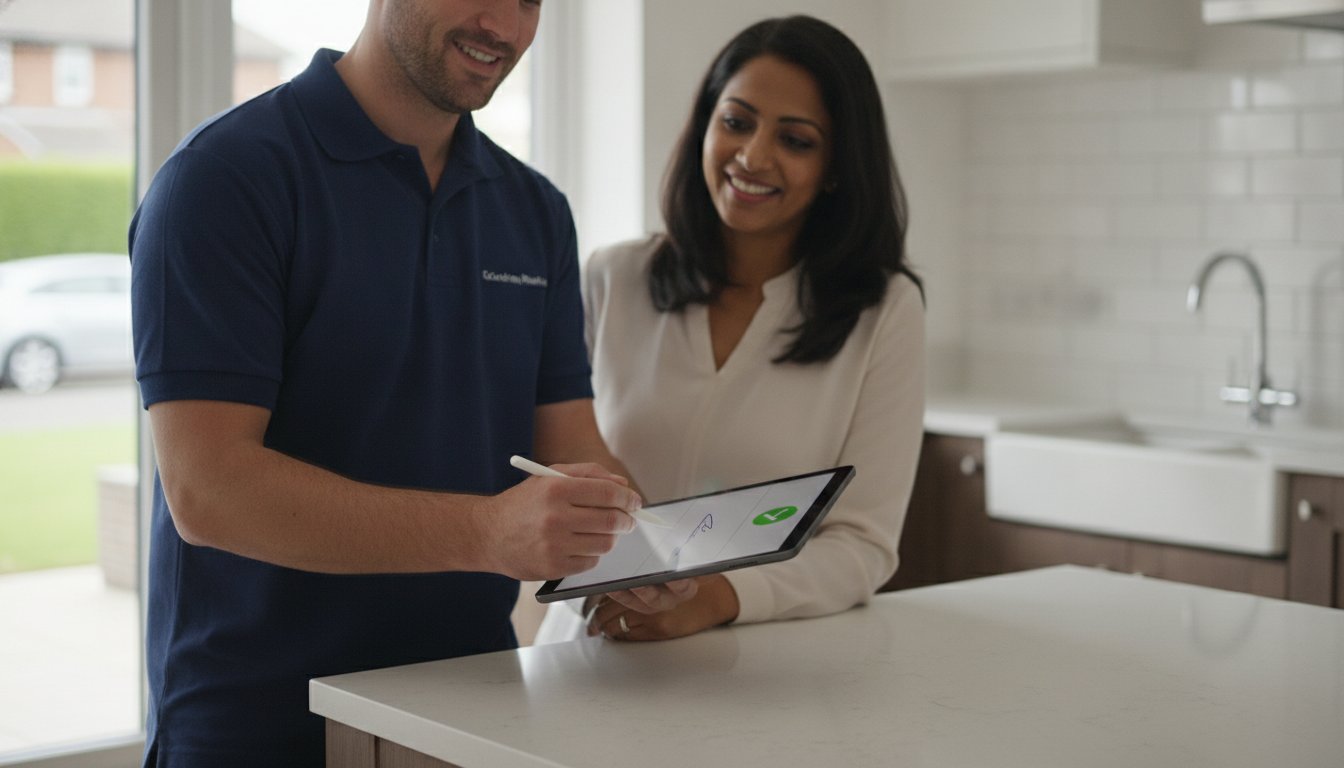
When it comes to the client interaction, keep it simple. The "squiggle" should be the easiest thing they do all day. No logins, no complex menus; just a clear screen and a signature box. The real magic, however, happens after they tap "submit." This signature acts as a starter pistol for your back-office. It triggers automated responses, updates your records, and secures your data in a searchable archive. You are building a business history automatically, without lifting a finger.
What Should Your Sign-Off Form Include?
To be truly effective, your digital form needs to gather the right data every single time. We recommend including:
- The Essentials: Client name, date, and a precise GPS location to prove your team was there.
- Statement of Satisfaction: A clear sentence confirming the client is happy with the work. This is your primary shield against future complaints.
- Notes and Snags: A dedicated space to record minor follow-up tasks. This shows you are on top of the details and builds massive trust.
Automating the Next Steps
The biggest win for your cash flow comes from what happens next. You can automate repetitive business tasks so that the second a job is signed off, the invoice is generated and sent. Your system can also fire off a "Thank You" email with a PDF copy of the sign-off attached for the client's records. Behind the scenes, your project profitability dashboard updates in real-time. You see the win, and the office sees the completion. If you're ready to stop the paperwork chase, it's time to convert your digital forms and reclaim your Friday nights.
Bespoke Sign-Off Solutions: How Simplixa Automates Your Project Closure
We don't believe in forcing your business into a pre-made box. Every trade and service has its own unique "handshake", that specific way you confirm a job is finished. Simplixa builds tools that mirror your actual behaviour on-site. If you need a specific safety check before the client signs, we build it. If you need a photo of the serial number, it's there. This isn't about adapting to software; it's about making a digital sign-off for completed work that actually fits your boots.
Independent operators are often wary of hidden costs and complex contracts. We get that. That's why we offer fixed-price certainty for our digital transformations. You won't find yourself trapped in a cycle of "per-user" fees that punish you for growing your team. You pay for the solution once, and it belongs to you. Our designs are mobile-first because we know your office is usually a van or a client's doorstep. It needs to work whilst you're balancing a ladder, not just when you're sat at a desk.
Why a Custom App Beats a Monthly Subscription
Most generic platforms hold your data hostage. If you stop paying the monthly subscription, your records can become difficult to access or vanish entirely. With a custom app, you own your data. You get only the buttons you need and none of the fluff that slows you down. We move quickly because we know you're losing money every day you spend chasing paper. We can move your business from a mess of sheets to a clean digital flow in weeks, not months. No bloat. Just utility.
Getting Started with Your Digital Sign-Off System
Our first step is always to map your current process. We look at the "messy" reality of your daily admin and find the fastest route to completion. We look for the friction points and smooth them out. The ultimate goal is that sense of relief when a "Job Done" notification hits your phone. It means the work is verified, the client is happy, and the invoice is already on its way. It's about moving you from a state of being overwhelmed to a state of complete organisation. Stop the Friday night scramble and start getting paid for the work you've already done. Book a discovery call with Simplixa to kill your paperwork today and see how simple your project closure could be.
Reclaim Your Time and Secure Your Cash Flow
The days of digging through the glovebox for crumpled completion sheets should be behind you. We've seen how paper isn't just messy; it's a direct drain on your bank account and your sanity. By adopting a digital sign-off for completed work, you remove the excuses for late payments and build a professional reputation that clients trust. You aren't just getting a signature. You're building a bulletproof record with photos, GPS data, and automated invoicing that keeps your business moving.
Simplixa is here to help UK SMEs bridge the gap between "job done" and "money in the bank." Our custom apps are built specifically for the realities of site work, providing fast delivery and ongoing UK-based support. We believe in transparency. That's why we offer fixed-price project certainty with no hidden surprises. It's time to stop the administrative scramble and get back to what you do best. Ready to stop chasing signatures? Get a fixed-price quote for your custom sign-off app. You've done the hard graft; let us help you get paid for it.
Frequently Asked Questions
Is a digital signature legally binding for work sign-off in the UK?
Yes, it is. Digital signatures have been legally recognised in the UK since the Electronic Communications Act 2000. They hold exactly the same weight as a traditional ink signature for service agreements and job completions. This provides your business with a robust legal shield if a client ever tries to dispute the work later down the line.
Do my clients need to download an app to sign off on a job?
No, they don't. We design our systems to be as frictionless as possible for your customers. Your client simply signs on your tablet or phone screen during the handover using a mobile-friendly web interface. There is no need for them to install anything or set up an account. It is just as simple as signing for a parcel at the front door.
What happens if there is no internet connection on-site when I need a sign-off?
The system handles this automatically. A well-built digital sign-off for completed work tool stores the signature and data locally on your device whilst you are in a "dead zone." The moment you are back in range of Wi-Fi or 4G, the app pings the office and triggers the next steps. You won't lose a single bit of evidence because of a poor signal.
Can I include photos as part of the digital sign-off process?
Yes, and we highly recommend it. Our custom apps allow your team to snap "before and after" photos directly within the sign-off flow. These images are timestamped and linked to the job record permanently. It is the most effective way to prove the quality of your graft and stop "he-said-she-said" arguments before they even start.
How much does it cost to build a custom sign-off app for a small business?
We provide fixed-price quotes based on the specific "handshake" your business needs. Unlike generic software that charges you a per-user fee every single month, our model focuses on a one-off project cost. This gives you complete certainty over your budget. You own the tool and the data without worrying about creeping subscription fees as your team grows.
Will a digital sign-off system help me get paid faster?
Absolutely. The biggest cause of payment delays is the time gap between finishing the job and sending the invoice. A digital sign-off for completed work triggers your invoicing process the second the client signs. It removes the "Friday Afternoon Scramble" and ensures your payment request hits the client's inbox whilst the job is still fresh in their mind.
Can I link the sign-off to my existing accounting software like Xero or Sage?
Yes, integration is the key to reclaiming your free time. We can link your sign-off tool directly to platforms like Xero, Sage, or QuickBooks. When a client signs on-site, the invoice can be created automatically in your accounts. It cuts out the manual data entry that usually eats into your evenings and weekends.
Is my client data secure when using a digital sign-off tool?
Yes, your data is far more secure than paper sheets left in a van or a filing cabinet. All information is encrypted and stored in secure cloud servers. You have a permanent, searchable audit trail that is organised and protected. This makes it much easier to stay compliant with data protection rules than traditional, messy paperwork.